ZArchiver Review: How to Compress and Extract Files on Android
Managing compressed files on Android can be inconvenient without the right tools. Many users download ZIP or RAR files every day for documents, images, or shared folders, but handling these files efficiently requires a dedicated solution. This review explores how ZArchiver helps Android users compress and extract files easily, focusing on practical use and real functionality.
What Is ZArchiver?
ZArchiver is a file compression and extraction application designed specifically for Android devices. It allows users to create archive files and extract existing ones directly on their phones or tablets. Instead of relying on desktop software, users can manage compressed files anytime, anywhere. ZArchiver is suitable for general Android users who need a simple and reliable way to handle archive files without complex setup or advanced technical knowledge.
Why Android Users Need a File Compression App
Compressed files are common in everyday Android use. Documents shared through messaging apps, downloaded folders, or backup files are often packed into archive formats to save space and keep files organized. While Android can browse files easily, built-in tools offer limited support for managing compressed content. A dedicated file compression app helps users open, organize, and store files more efficiently while reducing unnecessary storage usage.
Key Features of ZArchiver
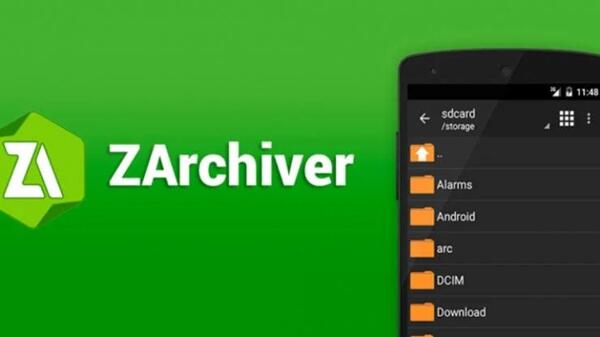
ZArchiver focuses on essential file archive tasks without unnecessary complexity. The app supports many commonly used archive formats, making it useful for different file-handling situations. Users can create new compressed files, extract existing archives, and preview their contents before taking action. ZArchiver also allows users to manage files within archives, helping them stay organized without cluttering device storage. These features make the app practical for both casual and regular use.
How to Compress Files Using ZArchiver
Compressing files with ZArchiver is straightforward. Users start by selecting one or more files or folders from their device storage. After choosing the compression option, they can create a new archive by setting a file name and selecting an archive format. Once the process is complete, the compressed file is saved to the chosen location. This workflow is useful for organizing files, sharing multiple items at once, or saving storage space on Android devices.
How to Extract Files with ZArchiver
Extracting files is just as simple. Users select an archive file and choose where the extracted content should be saved. ZArchiver allows full extraction or selective extraction, giving users control over which files they want to access. This is especially helpful when dealing with large archives that contain many items. The extraction process is quick and keeps files neatly organized within the selected folder.
User Experience and Interface
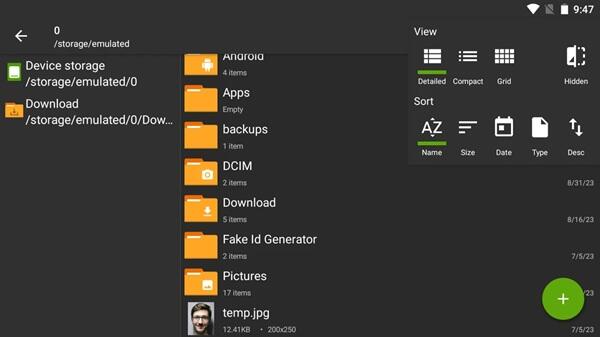
ZArchiver features a clean and functional interface that feels familiar to Android users. The layout resembles a standard file manager, making navigation intuitive even for beginners. Menus are clear, actions are easy to find, and file operations respond quickly. Overall performance is stable, and the app runs smoothly on a wide range of Android devices without unnecessary background activity.
Pros and Cons of ZArchiver
Pros:
ZArchiver is easy to use, lightweight, and focused on core archive functions. It handles common file compression and extraction tasks efficiently and works well for everyday Android use.
Cons:
The app prioritizes simplicity, so users looking for advanced file management features may find it limited. However, this approach helps maintain a clean and reliable experience.
Is ZArchiver Worth Using?
ZArchiver is a good choice for Android users who regularly work with compressed files. It is especially useful for students, office workers, and anyone who downloads or shares archived content. For general file compression and extraction needs, the app delivers consistent and practical results.
Final Thoughts
ZArchiver offers a simple and effective way to compress and extract files on Android devices. With a clear interface and reliable performance, it serves as a helpful tool for managing archive files without unnecessary complexity. For users seeking a straightforward solution for everyday file handling, ZArchiver is a practical option worth considering.