
Builda Create and Play Full Review, Features & User Guide
Builda Create and Play is a mobile application designed for users who want to build interactive games without needing coding skills. Instead of complex engines, Builda offers a creative environment where you can draw characters, animate movements, and design gameplay from scratch. It is especially suitable for beginners, students, young creators, and those who enjoy turning personal ideas into playable experiences. With creativity at the center, Builda helps users build, play, and grow their ideas step by step.
App Overview – What Makes This App Interesting
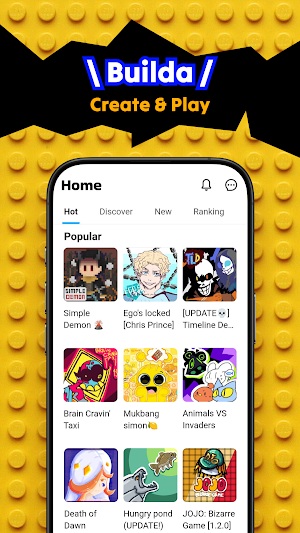
What makes Builda Create and Play appealing is its ability to combine creation and gameplay in one space. Users can create characters, build worlds, add interactions, and instantly test how everything works. Whether you enjoy designing pixel art, experimenting with mechanics, or building short interactive stories, the app provides tools to make it possible. It is a creative playground where imagination becomes the main resource, allowing users to express ideas freely and learn through hands-on experience.
Full Feature Breakdown (Core Tools Included)
Logic Block Builder
The app offers several tools that support game development from the ground up. The logic block builder is one of the most valuable features, allowing users to create movement, collision, and interaction without writing code. It works visually, so connecting actions becomes easy to understand.
Character & Sprite Editor
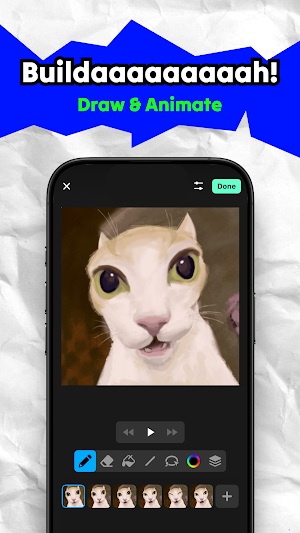
The character and sprite editor helps users draw original characters, animate them frame by frame, and bring them to life. It supports simple animation loops, color adjustments, and movement previews.
Scene Builder
The scene builder allows users to place characters, objects, platforms, and background elements to shape their game world. You can design multiple scenes, transitions, and playable levels.
Additional Tools & Community Space
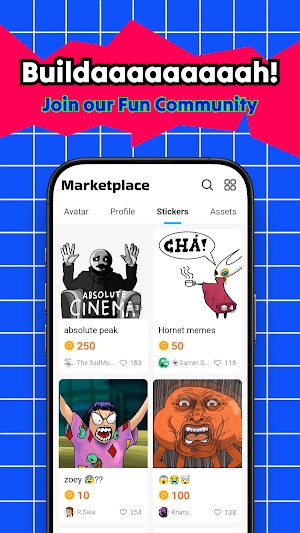
In addition, Builda includes tools for sound, effects, object properties, and a community exploration section where users can view projects made by others for inspiration.
User Experience & Interface Evaluation
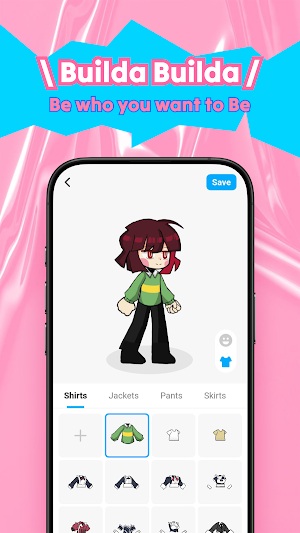
The interface of Builda Create and Play is simple, icon-based, and beginner friendly. Users can navigate through tools quickly and experiment freely, even without prior knowledge. Most features are accessible within a few taps, creating a smooth workflow for game building. The learning curve is light, and once users understand the logic block system, development becomes even faster. Overall performance is stable, making the app a comfortable space for creative exploration and small-scale projects.
Pros and Cons – Honest & Clear Review
Pros
• Easy for beginners and non-coders
• Full creative control: drawing, animation, scene building
• Suitable for quick prototyping and learning game logic
• Creative environment supports experimentation and skill growth
• Community creations help users learn and find inspiration
Cons
• More advanced game projects may require time and experience
• The app is best for 2D or simple mechanics, not large-scale games
• Some features may feel limited when compared to full desktop engines
Despite these points, Builda remains a valuable tool for early creators, students, and hobbyists looking to learn by doing.
Step-by-Step User Guide for Beginners
- Open the app and create a new project.
- Name your game and choose a starting template if needed.
- Create a character using the drawing or sprite editor, or select built-in assets.
- Move to the scene builder to place characters, tiles, and interactive objects.
- Use logic blocks to assign movement, collisions, or trigger actions.
- Test the game in preview mode to see how it plays.
- Save your project and continue improving or expand into more scenes.
Following these steps gives new users a clear starting point to build with confidence.
Tips to Improve Your Builds Fast
• Start with simple gameplay before expanding features
• Study community projects for design ideas
• Create and reuse your own assets for faster development
• Build short prototypes often to learn through trial and error
Small improvements lead to big creative progress over time.
Final Verdict – Who Should Use This App?
Builda Create and Play is best for new creators, hobbyists, and anyone curious about making games. It offers accessible tools, creative freedom, and a simple workflow worth experiencing.