
View FPS Addon Essential Real-Time FPS Monitor
If you’ve ever wondered why Minecraft Bedrock suddenly feels sluggish or why certain areas of your world load slower than others, the View FPS Addon finally gives you the clarity you need. This lightweight MCPE addon places a live FPS counter directly on your screen, letting you see exactly how many frames your device renders each second. Instead of guessing when your game slows down, you get instant feedback that helps you understand what affects performance and how to improve it. Whether you play on mobile, tablet, console, or Windows, the View FPS Addon offers an easy, achievement-safe way to monitor performance without changing how your world plays.
Key Features of the View FPS Addon
The main highlight of the View FPS Addon is its real-time frame rate display. The counter updates instantly as you move through different biomes, load new chunks, interact with mobs, or test large builds. Because the addon is engineered to be extremely lightweight, it does not increase lag or reduce performance, which is important for players on low-end Android devices or older tablets.
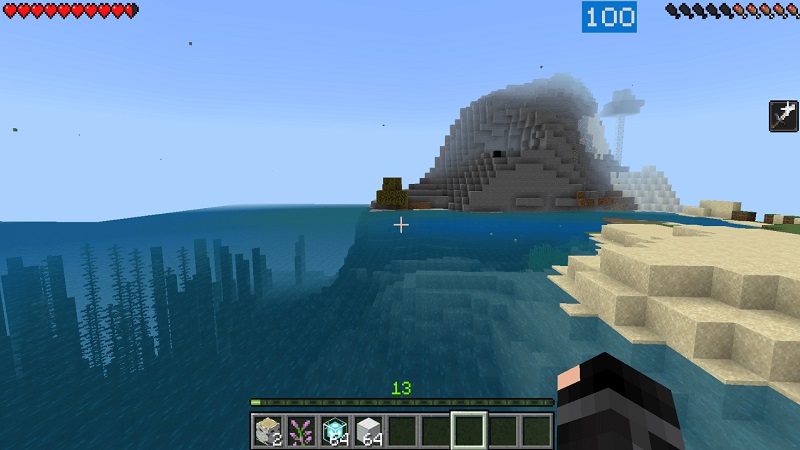
The addon uses a clean, unobtrusive HUD (Heads-Up Display), so you always see your FPS without blocking your view or covering essential UI elements. It works across all Minecraft Bedrock platforms, supporting Android, iOS, Windows Edition, Xbox, PlayStation, and Nintendo Switch. It also blends naturally with shaders, performance packs, texture packs, and other Bedrock addons, making it a dependable performance tool for all types of MCPE players.
Why This Addon Is Essential for MCPE Players
Many players feel lag but don’t understand why it happens. The View FPS Addon removes that uncertainty. For example, when you enter a dense jungle biome or activate a large mob farm, your FPS may drop sharply because your device is processing more entities and blocks. With the FPS counter visible, you immediately see the connection between in-game actions and performance changes.
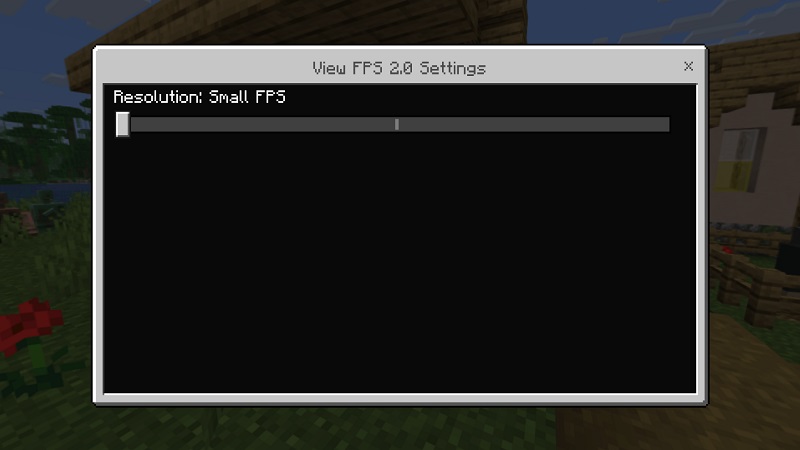
Players on low-end devices can tune their settings—render distance, FOV, simulation distance—and instantly see how each change affects frame rate. Creators and builders can test whether their Redstone machines, mob farms, or custom maps run smoothly before sharing them with others. Realm owners can use the addon to identify “heavy zones” that slow down gameplay for their community. Real-time performance visibility gives you the confidence to explore, build, and optimize your world without guessing what’s wrong.
Installation Guide for the View FPS Addon
Installing the View FPS Addon is simple and user-friendly. After downloading the .mcpack or .mcaddon file, tap it once to open it with Minecraft Bedrock. The game imports the addon automatically and adds it to your resource list. From there, open Settings → Global Resources, find the addon, and activate it.
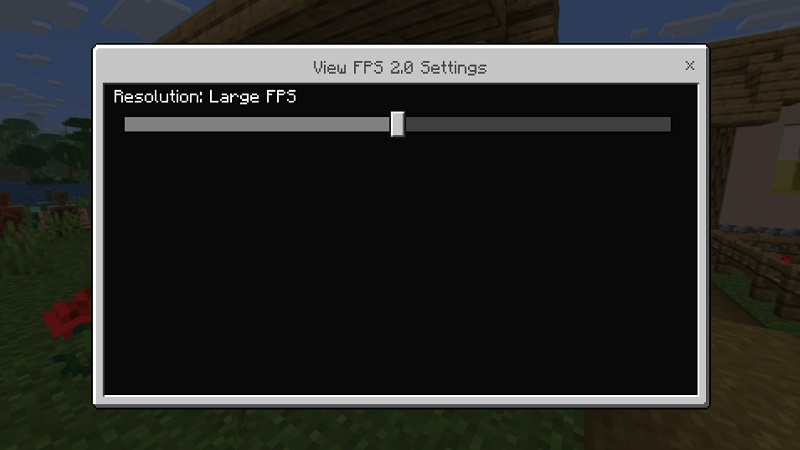
Load any world—survival, creative, or multiplayer—and the FPS counter appears automatically. If it doesn’t, check whether experimental features such as the GameTest Framework are enabled, as they help UI-based addons display correctly. After activation, you’re ready to start monitoring FPS across all your MCPE adventures.
Tips for Achieving the Best FPS in MCPE
The View FPS Addon becomes especially useful when you start adjusting your settings and watching the FPS change in real time. Lowering render distance or simulation distance usually gives an immediate frame-rate boost. Turning off fancy graphics, beautiful skies, or smooth lighting can also help older devices run more consistently.
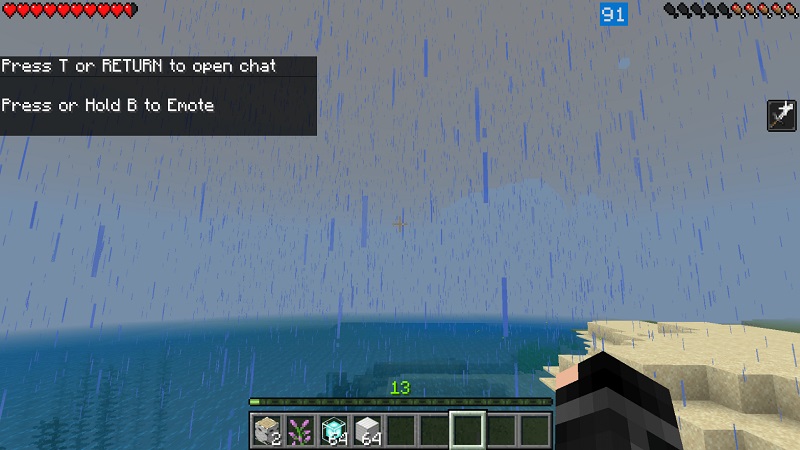
Use lightweight texture packs or optimized shaders if you want good visuals with stable performance. Outside the game, simple habits like closing background apps, lowering device temperature, or clearing storage space can significantly improve MCPE smoothness. With the addon active, you see the direct impact of every adjustment, making optimization simple and even enjoyable.
Real Gameplay Scenarios Where This Addon Helps
Imagine exploring a new cave system: the FPS counter reveals how your device reacts to lighting updates and world generation. When you enter a busy village or activate an automatic farm, the counter reflects how entity count affects your performance. If you’re building Redstone systems, you can instantly see whether pistons, hoppers, or moving blocks strain your device. Content creators also benefit—they can showcase how certain addons, maps, or shaders perform on their device, giving viewers accurate expectations.
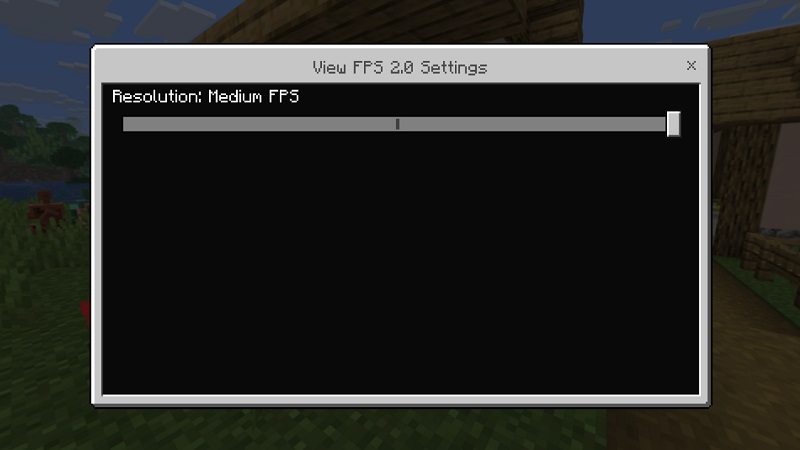
By showing you how your world behaves, the View FPS Addon acts like a small diagnostic tool that helps you understand and improve your gameplay experience.
Conclusion
The View FPS Addon is an essential tool for Minecraft Bedrock players who want smoother gameplay and a clearer understanding of how their device handles different worlds, builds, and graphics settings. It’s fast to install, easy to use, and compatible with nearly every MCPE setup. Whether you’re optimizing your survival world, testing Redstone builds, managing a Realm, or creating content, this addon gives you real-time performance insight that helps you play smarter and enjoy the game more. If you want more control, better stability, and a deeper understanding of your MCPE performance, the View FPS Addon deserves a place in your resource pack list.