
Hyper Visuals Shader Enhances MCPE With Clean Modern Lighting
If you’ve been searching for a way to make Minecraft Bedrock Edition look brighter, cleaner, and more modern without losing its original charm, Hyper Visuals Shader is a great place to start. This MCPE shader focuses on clean modern lighting that refreshes your world in a natural, visually pleasing way. Instead of changing the entire art style, it enhances lighting, color tone, water clarity, and shadow depth while keeping gameplay smooth on mobile devices. Whether you love building, exploring, or simply want your Bedrock world to feel more polished, this shader brings a balanced visual upgrade that fits every playstyle.
Key Visual Improvements in Hyper Visuals Shader
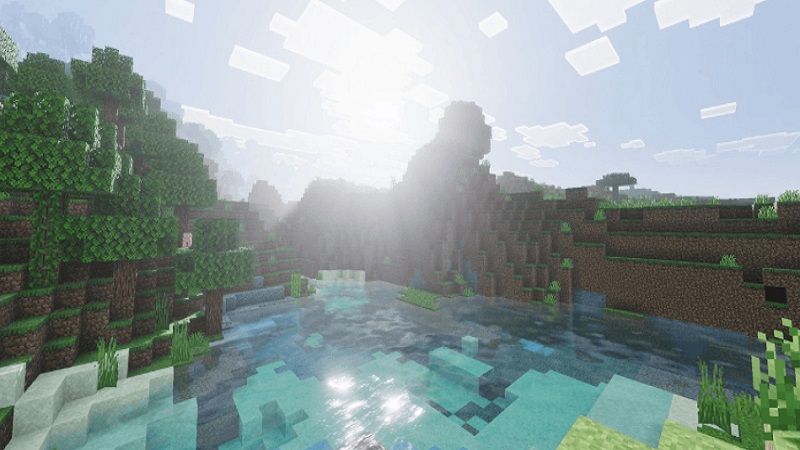
Hyper Visuals Shader stands out because it makes MCPE more vibrant and immersive without going overboard. Many shaders try to look cinematic but end up being too dark or too bright. Here, the approach is different. The shader improves clarity across all biomes, enhances shadows, and refines color grading so everything looks intentional and easy on the eyes. Water surfaces and glass blocks are cleaner too, supporting modern builds and giving both indoor and outdoor scenes a smoother finish.
- Clean Modern Lighting Across All Biomes: The lighting engine in this shader brightens landscapes while keeping them natural. Forests feel warmer, deserts look sharper, and snowy areas gain subtle brightness that makes exploring them more enjoyable. You’ll notice that morning and evening light look especially good, perfect for players who love taking screenshots.
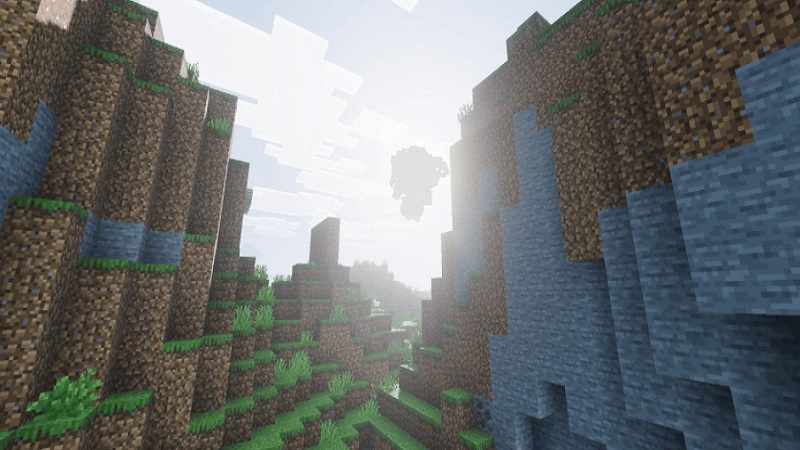
- Smooth, Refined Shadow Rendering: Shadows in Hyper Visuals Shader are soft and realistic. They add gentle depth without creating dark, harsh areas. Builders enjoy this feature because it highlights structure lines, edges, and block shapes in a way that makes builds feel more solid and finished.
- Enhanced Color Grading and Natural Tones: Colors throughout MCPE become richer but remain balanced. Grass and leaves appear fresher, sky colors blend smoothly, and fog in distant biomes looks clean instead of patchy. This creates a visually comfortable experience for players who spend long hours exploring or farming resources.
- Improved Transparency for Water and Glass: Water becomes clearer, making underwater environments easier to enjoy. Builders working with aquariums, pools, or rivers will appreciate the modern look. Glass also becomes cleaner, allowing for better skylights, windows, and interior lighting designs.
How Hyper Visuals Shader Enhances Your MCPE Experience
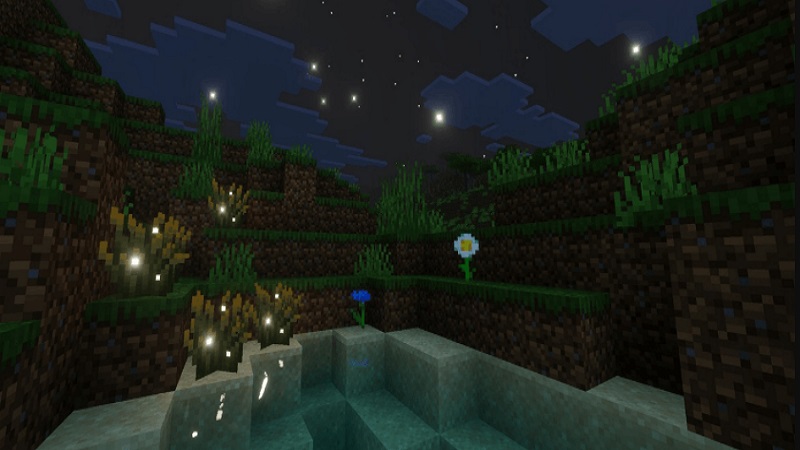
Hyper Visuals Shader improves more than just visuals—it also changes how you experience your world. If you enjoy survival gameplay, you’ll appreciate the comfortable night lighting and steady visibility inside caves. Builders benefit from the shader’s ability to showcase materials, colors, and structural details. Explorers will feel more immersed as biomes gain atmosphere, depth, and cleaner sky transitions. For content creators, the shader is an easy way to achieve attractive screenshots and stable lighting in video content.
- Better Visibility for Survival Players: Whether you’re navigating a forest at night or mining deep underground, visibility remains stable and readable. This makes survival gameplay easier and more enjoyable without removing the natural challenge of night or cave exploration.
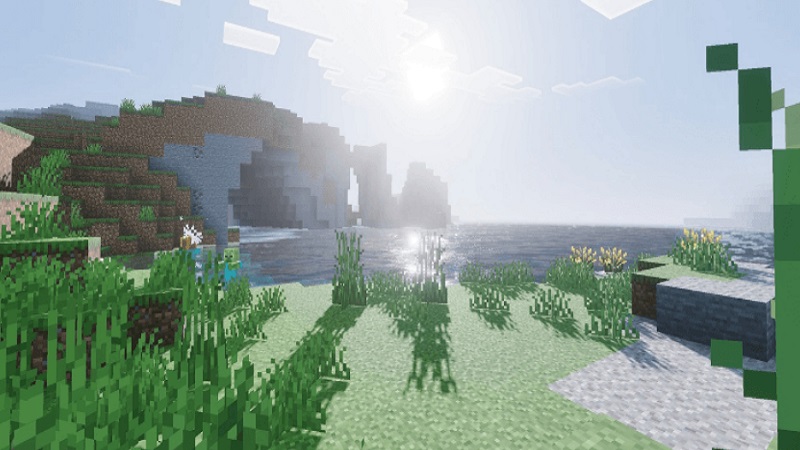
- More Polished Builds for Creative Players: Clean lighting and soft shadows give buildings, interiors, and landscaping a more intentional appearance. If you enjoy making modern houses or city-style builds, this shader supports your visual style perfectly.
- Natural Atmosphere for Explorers: Biome lighting feels more alive, with better color transitions, sky tone changes, and subtle atmospheric effects. This adds emotional depth to travel and exploration.
- Ideal for Content Creators: Lighting consistency makes screenshots and videos look cleaner. You won’t need heavy editing to achieve a polished look.
Performance and Device Compatibility
Hyper Visuals Shader is optimized for Bedrock players, especially those using mobile devices. It avoids heavy effects that slow down gameplay and instead focuses on lightweight improvements. Most mid-range phones and tablets can run it with stable performance. On Windows Bedrock, it runs smoothly while maintaining clear and modern visual output.
Tips to Maximize the Shader’s Visual Quality
To get the best results, try using:
- 8–12 render distance for smooth performance
- Beautiful skies ON
- Balanced brightness (70–80%)
- Lanterns, glowberries, or frog lights to highlight builds
For screenshots, explore your world during sunrise or sunset when the lighting is at its most impressive.
Who Should Use Hyper Visuals Shader?
This shader is a great fit for:
- Builders who want clean lighting and modern visual style
- Survival players who prefer stable visibility
- Explorers who enjoy immersive biomes
- Content creators looking for clean footage
- Mobile gamers who want better visuals without FPS drops
Final Thoughts
Hyper Visuals Shader brings clean modern lighting, refined shadows, and improved color balance to MCPE without sacrificing performance. It keeps the familiar Minecraft identity intact while enhancing the world in meaningful ways. If you want your Bedrock world to feel fresh, polished, and comfortable to explore, this shader is an excellent upgrade for your setup.